Project manager reviewing property usage schedules before installation.
Planning starts before a crew arrives, with property access, resident communication, and seasonal constraints accounted for in the schedule.
Six-phase path
Kickoff, survey, construction, unit work, testing, and go-live.
30-60 minutes
Typical unit-level work stays within a short scheduled window.
Operations handoff
Support transitions cleanly to the NOC after launch.
What to expect

The SecureVision Process

Every SecureVision installation follows a structured process refined across hundreds of Gulf Coast properties. The team manages each phase from site survey through go-live, so property managers and board members know what is happening, when it will happen, and who to call.

Our Approach

Planning around property usage.

SecureVision plans every installation around the reality that the property is already in use. Residents live in the units. Guests arrive and depart on rental turnover days. Property managers run a schedule that does not stop for construction work. The plan accounts for all of it before a crew arrives on site.

Wall composition, access pathways, and peak season traffic patterns are identified in advance, and the schedule is built to match. Each phase of work flows directly into the next, with daily coordination across teams so handoffs do not stretch the timeline. Unit owners receive specific dates in advance, and the schedule flexes around peak rental weeks when the property cannot absorb additional activity.

Clean-shaven project manager in a blue shirt reviewing property usage schedules from an over-the-shoulder view.

Engineering

Engineered uniquely for your property.

SecureVision designs a custom network for every property.

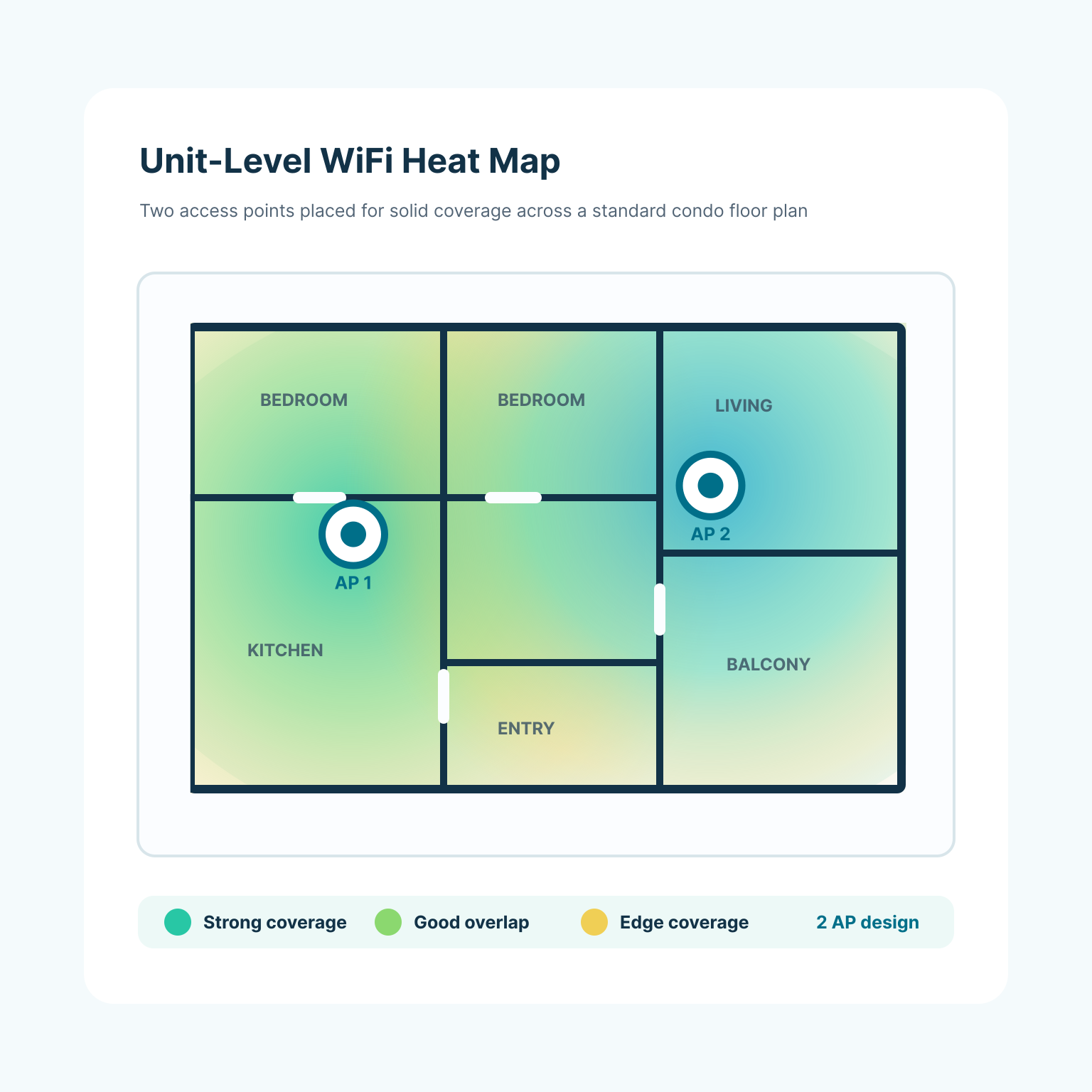
The engineering process begins with a building materials assessment. Wood, metal, and concrete each affect WiFi signal behavior differently, and coastal properties often contain a mix of all three. The team produces WiFi heat maps for every floor plan and selects access point hardware on a per-unit basis: ceiling-mount devices for open layouts, wall plates in kitchen areas, or mesh configurations for larger units.

Equipment decisions are finalized during the design phase and built into the project plan before the first crew arrives on site. SecureVision engineers every property to support incremental speed upgrades in the future.

WiFi heat map diagram for a standard condominium unit with two access points.
Installation Timeline

From Contract to Go-Live

A typical installation moves through six phases. The pace and duration vary by property, but the structure stays consistent.

  1. 01 Kickoff and Team Assignment

    Once the contract is signed, SecureVision assigns a project manager and assembles a dedicated project team for the property, including an engineer, construction lead, and installation lead. Local teams in each market often already know the property and can identify site-specific considerations before the first visit.

  2. 02 Site Survey and Engineering

    An engineer walks the property with a member of the construction team. The survey evaluates every pathway from the right-of-way to each unit, assesses building materials and existing infrastructure, and maps floor plans for WiFi heat mapping.

  3. 03 Construction and Preparation

    The crew prepares equipment rooms, installs fiber backbone, and pulls wiring throughout the building. Common areas are completed first, which gives the team a live section of the network to test before unit-level work begins.

  4. 04 Unit-Level Installation

    Technicians install access points and equipment in each unit. Most units take thirty minutes to one hour. At steady state, the crew completes twenty-five to forty units per day, with scheduling coordinated around each property's occupancy calendar.

  5. 05 Testing and Optimization

    The team verifies WiFi performance in every unit throughout the installation, not only at the end. Once the last unit is complete, a final optimization pass tunes the network across the property, and residents typically see 850 to 950 Mbps wirelessly on a gigabit connection. Wired devices receive the full gigabit; wireless devices reach 850 to 950 Mbps because of typical WiFi protocol overhead.

  6. 06 Go-Live and Ongoing Support

    Once installation is complete, support transitions to SecureVision's Network Operations Center and customer service team. The NOC monitors the property around the clock and responds under the same four-hour support response guarantee that applies from day one.

Your Property

What Gets Installed

In-Unit Equipment

Each unit receives a WiFi access point mounted in the kitchen or living area, typically a round or square ceiling-mount device. Units with video service receive equipment on bedroom televisions as well. All locations are pre-planned during engineering and communicated to owners before the installation date.

Why Fiber

Common Areas

Access points are installed or replaced in lobbies, hallways, and shared spaces. Fiber distribution hardware is housed in equipment closets throughout the building. Most of this work takes place in utility spaces and is largely invisible to residents and guests.

Monitoring and Support

SecureVision's Network Operations Center and customer service team monitor performance continuously and resolve most issues before a resident or guest is aware of them. When an issue needs attention, the four-hour support response guarantee applies 24 hours a day, 365 days a year; field support is dispatched when needed.

About SecureVision
Typical Time Per Unit 30min
Survey to Engineering 4-5days
Units Installed Per Day 25-40
Daily Crew On Site 6-10

Installation

What installation looks like to residents and guests.

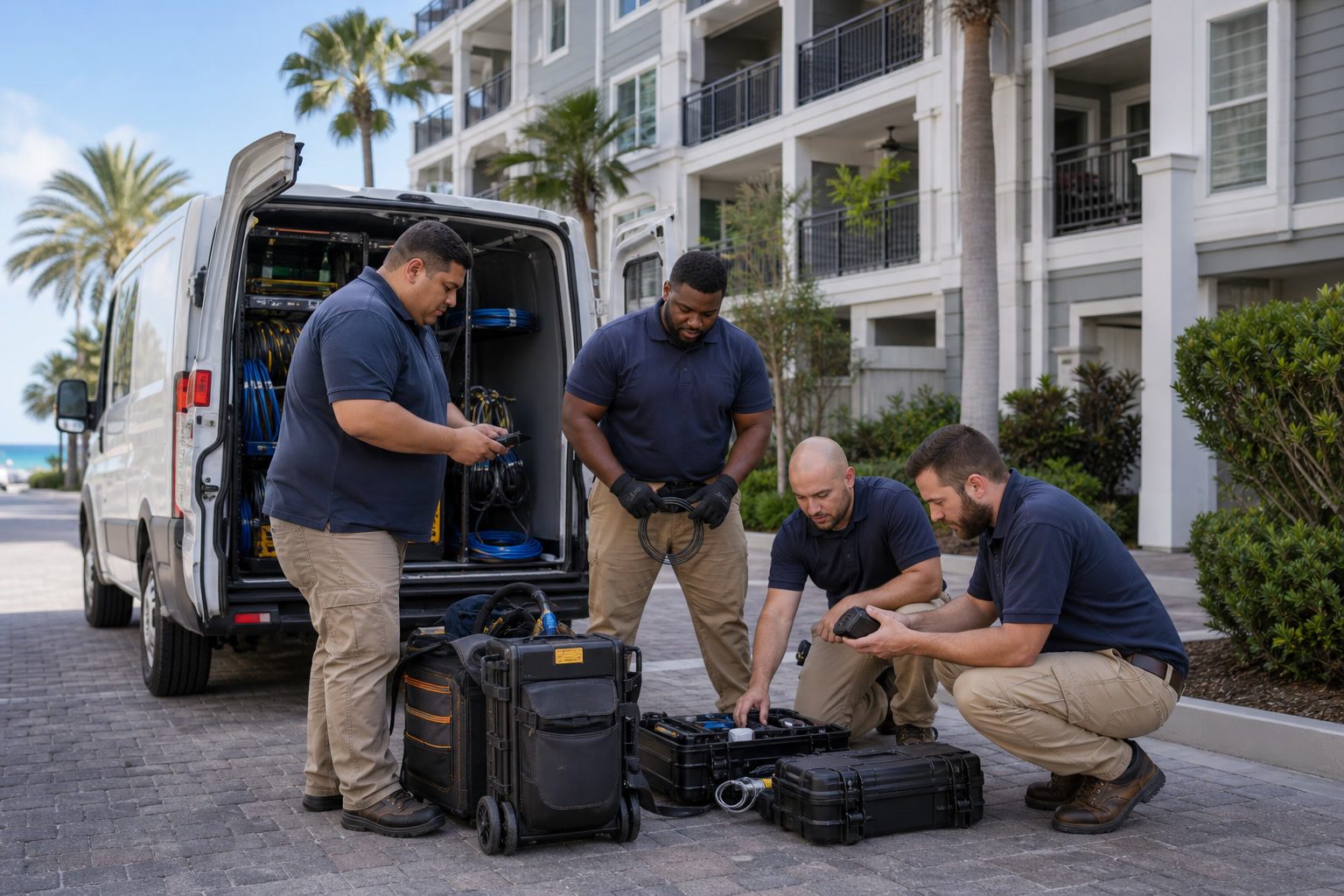
A crew of six to ten technicians works on site each day in branded SecureVision gear, with a staged equipment trailer on the property. Work hours generally run from 7 a.m. to 5 p.m., and time inside any given unit is capped at thirty minutes to an hour. The project manager confirms access limitations, blackout windows, and unit-level accommodations with owners ahead of busy periods. Where the work requires openings in walls for wire pathways, SecureVision brings in local sheetrock and painting professionals to restore surfaces. The crew addresses paint outlines and marks from equipment swaps without waiting for a complaint, coordinating with owners who have matching paint or providing touch-up service.

Diverse technician crew preparing equipment outside a multi-dwelling property.

Coordination

One project manager from start to finish.

Every SecureVision installation has one project manager, and that project manager is the property's single point of contact from kickoff through go-live. Community association managers, boards, and property teams work with one person who knows the schedule, the handoffs, and the status of every open item, rather than routing questions across crews or departments.

The project manager introduces the job with a welcome letter that outlines the scope of work and the anticipated timeline, then stays in direct contact with the CAM and the board through every stage of the install. Before construction begins, the PM attends board and owner meetings to answer questions and set expectations. Each unit owner receives a specific installation date and can request a change if the timing does not work.


Hands and project documents on a table during an installation planning meeting.
Installation Planning

The deployment plan is built around the property calendar.

SecureVision plans every installation around the property's calendar, incorporating seasonal peaks, owner blackout periods, and high-occupancy weeks into the project timeline before work begins.

Installation Experience

What Property Managers Say About the Process

They told us exactly what they were going to do and exactly when. The whole installation was smoother than we expected.
Context image for a condominium property manager review.
Most of our owners said the same thing: you are done already? They expected the worst and it was thirty minutes.
Context image for a condominium board review.
Any time we had a question during the install, the project manager picked up the phone. That continued after they finished.
Context image for a condominium association manager review.

Installation Review Topics

7 questions
Timeline How long does a typical installation take?
The timeline depends on the size and complexity of the property. A smaller community of thirty units can move from contract signing to live service in about thirty days, with roughly twelve days of on-site work. Larger properties with several hundred units require a longer timeline, but the project plan provides clear milestones throughout.
Occupancy Will the installation disrupt residents or guests?
SecureVision designs the process to minimize disruption. Most units require thirty minutes to one hour of on-site work. The crew works standard daytime hours, coordinates with property management on scheduling, and adjusts pacing during peak seasons to reduce impact on common areas and foot traffic.
Equipment What equipment is installed in each unit?
Each unit receives a WiFi access point, typically a ceiling-mounted or wall-mounted device placed in the kitchen or living area. Units with video service also receive equipment on bedroom televisions. Equipment locations are determined during the engineering phase and communicated to owners before the installation date.
Contact Who is my point of contact during the project?
SecureVision assigns a dedicated project manager to every property. The PM serves as the primary contact from the welcome letter through go-live, communicating directly with the board and community association manager at every stage.
Restoration What happens if the work requires cutting into walls?
Some units require small openings for wire pathways. When that is necessary, SecureVision brings in sheetrock and painting professionals to restore the surface to the owner's satisfaction. The crew addresses any visible marks from equipment swaps before moving to the next unit.
Seasonality Can the installation work around our peak season?
The project manager coordinates with each property to identify seasonal restrictions, blackout periods, and high-occupancy windows before finalizing the schedule. Work pacing adjusts during busy seasons, and some properties pause installation entirely during their highest-traffic weeks.
After Go-Live What happens after the installation is finished?
Support transitions to SecureVision's Network Operations Center, which monitors the property's network around the clock. The team resolves most issues remotely before residents or guests notice. When an issue needs attention, the contractual four-hour support response guarantee applies 24 hours a day, 365 days a year; field support is dispatched when needed.
Connect

The next step is a conversation.

SecureVision's team is available to walk through the process for your specific property, answer questions from your board, and provide a clear project timeline.